What Is the Princess Cruises Medallion & How Does It Work?
Published March 4, 2026
Updated March 5, 2026
Travel Experts
at The Cruise Web
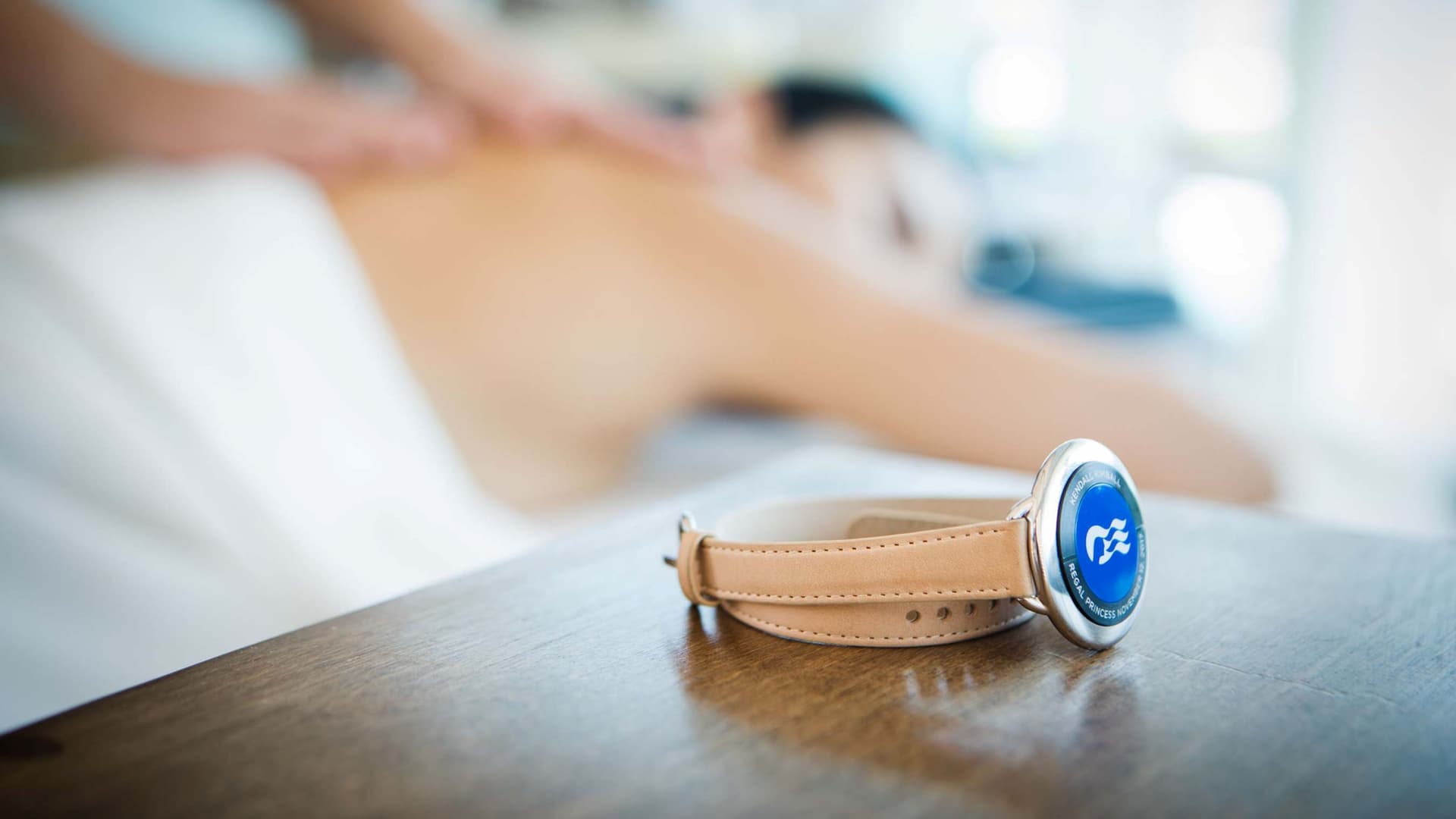
If you've booked a Princess cruise (or you're thinking about it), you've probably seen the word "Medallion" come up more than once.
The Medallion is part of what Princess calls the MedallionClass experience, the line's ecosystem of onboard tech and personalized service. It sounds high-tech, and it is, but the good news is that it's designed to make your cruise easier, not more complicated.
Here's everything you need to know about the Princess Cruises Medallion, what it does, how to set it up, and how to get the most out of it before and during your sailing.
The Medallion at a Glance
Category | What to Know |
|---|---|
What It Is | A quarter-sized, wearable device included free with every Princess cruise |
Battery | Built-in, lasts the duration of your voyage, no charging needed |
Durability | Waterproof, heat-resistant, sand-resistant, salt-resistant |
How to Wear It | Lanyard (included), or optional accessories like sports bands, clips, pendants, and bracelets |
Key Functions | Contactless boarding, keyless cabin entry, on-demand ordering, contactless payments, wayfinding, dining reservations, location sharing, and more |
Available On | All Princess Cruises ships, fleetwide |
Cost | Free (accessories sold separately) |
Medallion Colors by Loyalty Status
Your Medallion isn't just functional; it also reflects your Captain's Circle loyalty tier:
Color | Loyalty Status |
|---|---|
White/Blue | First-time cruiser |
Gold | 1+ completed cruise |
Red | 3+ completed cruises |
Gray | Platinum (5+ completed cruises) |
Black | Elite (15+ completed cruises) |
Select Medallion colors are reserved for Sanctuary Collection guests on Sun Princess and Star Princess, as well as certain special celebrations.
Getting Started: The OceanReady Process
Setting up your Medallion starts before embarkation day. Princess calls this process OceanReady, and completing it early is the single best thing you can do to start your cruise smoothly.
Step 1: Download the Princess Cruises App
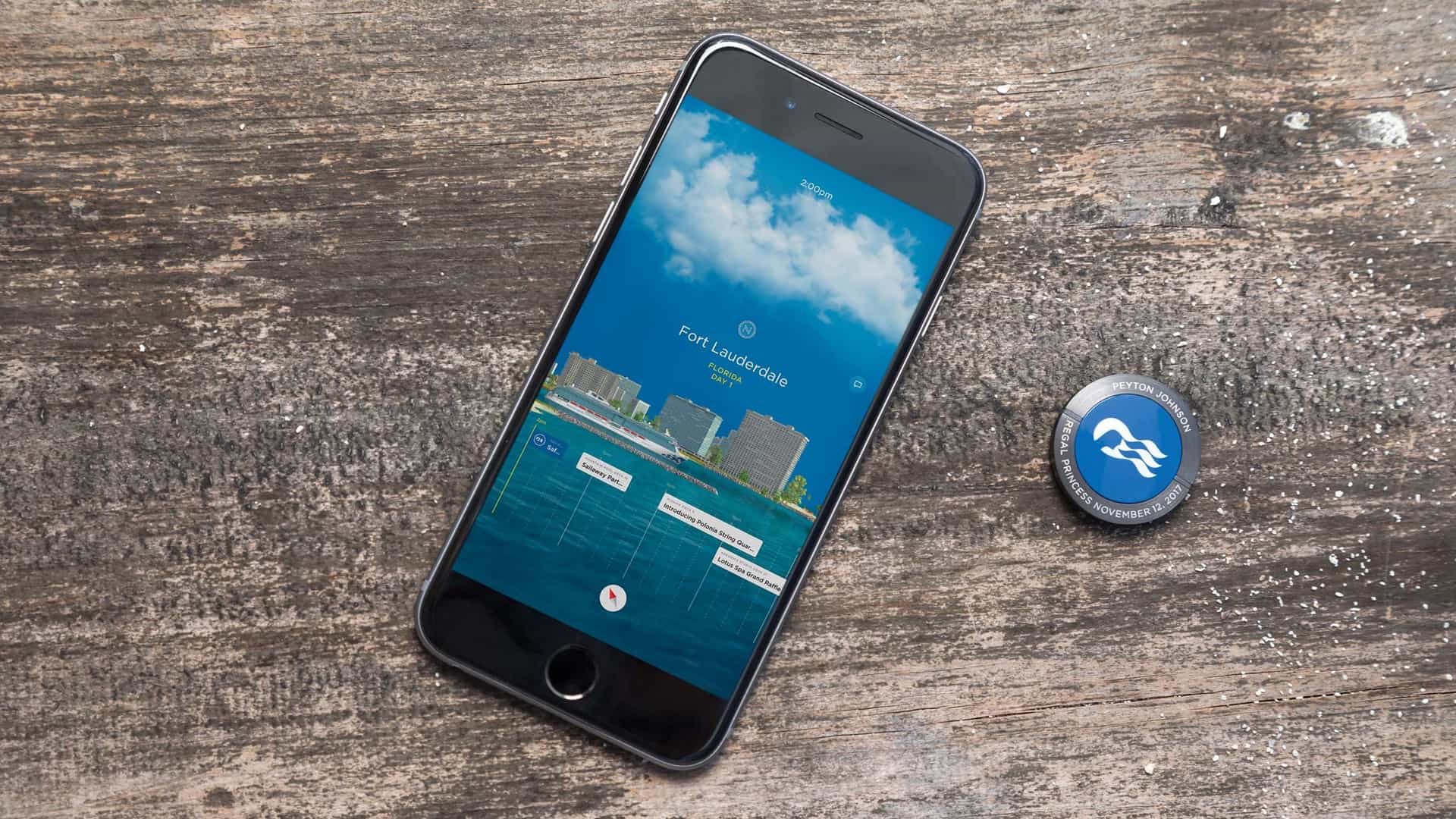
Available for iPhone, Android, or as a web version. This is where you'll complete all pre-cruise check-in steps.
Step 2: Complete the Travel Checklist
Inside the app, work through the OceanReady checklist:
- Personal info and travel documents (upload or manually enter your passport)
- Security photo (used by crew to verify your identity onboard)
- MedallionPay setup (link a credit card for contactless payments)
- Passage contract and acknowledgements
- Emergency contact information
Step 3: Order Your Medallion (Optional)
If you live in the U.S., Canada, or Puerto Rico, you can have your Medallion shipped home. Complete OceanReady at least 13 days before sailing, and it arrives by mail. Shipping runs around $10 per stateroom regardless of package type. Terminal pickup on embarkation day is always free.
Outside those areas? Your Medallion will be waiting at the terminal.
Green Lane vs. Blue Lane
This is the payoff for completing OceanReady early:
Lane | Who It's For | What to Expect |
|---|---|---|
Green Lane | Guests who completed all OceanReady steps | Expedited boarding, minimal wait |
Blue Lane | Guests who still need to complete check-in steps | Longer process, staff will help you finish setup at the terminal |
The Cruise Web Tip: Complete OceanReady as early as possible and screenshot your QR code so it's easy to pull up at the terminal.
What the Medallion Does Onboard
Once you're on the ship, the Medallion works quietly in the background. No tapping, scanning, or pressing anything. The ship's sensors detect it automatically.
Keyless Cabin Entry
Walk toward your stateroom and the door unlocks as you approach, with a personalized greeting on the display. No fumbling for a keycard, especially nice when your hands are full after a day in port.
OceanNow: On-Demand Food, Drinks, and More
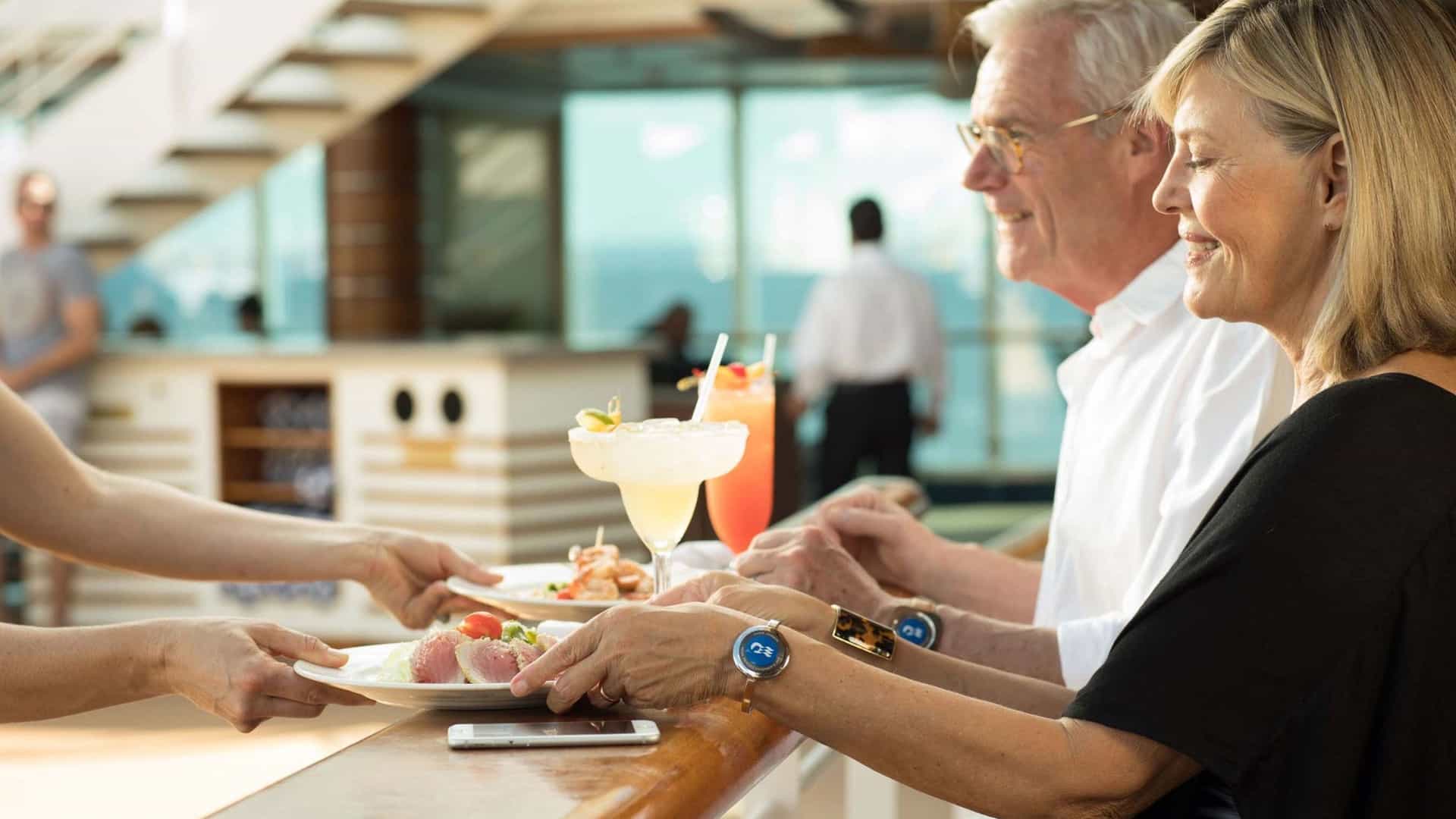
One of the features guests love most. Through the app (or your stateroom TV), order food, drinks, towels, sunscreen, and more delivered to wherever you are on the ship.
Hungry during Movies Under the Stars? Order from the app, and a crew member finds you using your Medallion's location signal.
Important: OceanNow delivery is included with Princess Plus and Princess Premier. Guests on the standard fare pay a one-time $14.99 activation fee per cruise. Standard menu pricing applies regardless of package.
For a full breakdown of what's included in each package, check out our guide: Princess Plus vs. Princess Premier →
MedallionPay: Contactless Payments
With a credit card linked to your MedallionPay account, every purchase onboard is contactless. Crew members verify your identity by matching your security photo and location. No card, no PIN, no signing.
You can monitor your onboard spending at any time through the app.
OceanCompass: Wayfinding and Shipmate Locator
Princess ships are big, and it's easy to lose track of where things are (or where your travel companions went). OceanCompass gives you:
- Turn-by-turn directions to any venue on the ship
- Shipmate Locator to find your travel group anywhere onboard
- In-app messaging to chat with your group without Wi-Fi or cell service
This is especially useful for families and groups who split up during the day and reconnect later.
JourneyView: Activity Planning and Reservations
JourneyView is your digital daily planner. You can:
- Browse the full event schedule (live music, trivia, dance classes, stargazing, and more)
- Bookmark activities to build a custom itinerary
- Make dining reservations through Dine My Way, choosing different times and restaurants each evening
- Check real-time venue capacity to avoid crowds
Pre-cruise, JourneyView lets you preview your specific sailing so you can plan ahead.
Simplified Safety Training
MedallionClass streamlines the mandatory safety drill into two simple steps:
- Watch the safety video. Play it on your phone through the app or on your stateroom TV. Pro tip: Many guests turn it on while unpacking. The Medallion senses you're in the room and gives you credit.
- Scan your Medallion at your muster station. Anytime before the ship sails, walk to your designated station (listed in the app and on your cabin door). A crew member taps your Medallion to their tablet, and you're done.
Faster, less stressful, and you can start enjoying the ship sooner.
Interactive Screens, OceanView, and OceanTagalong Avatars
Throughout the ship, large digital portals recognize your Medallion as you walk by. Use them to check deck plans, view the daily schedule, or get directions.
In your stateroom, OceanView turns your TV into an on-demand entertainment hub. Stream movies, TV shows, and more than 100 hours of Princess originals (like Ocean Treks with Jeff Corwin), all included with your fare.
For families, OceanTagalong lets each guest create a custom animated sea creature avatar that follows them around on the portals. Kids love it, and it ties into the scavenger hunts and interactive games available throughout the ship.
The app also connects to the onboard casino, letting you play select wager-based games from anywhere on the ship.
Need help? All of these features live inside the Princess Cruises app. We can walk you through it step-by-step. If you need help with any of them onboard, head to the OceanFront area, and an OceanNavigator will help.
MedallionNet Wi-Fi: What to Know
The Medallion enables your onboard experience, but staying connected to the internet is a separate purchase. Princess's Wi-Fi service is called MedallionNet, and here's how the tiers break down:
Tier | What You Get | Price |
|---|---|---|
MedallionNet Classic (1 Device) | Browsing, email, social media, streaming-capable | ~$24.99/day |
MedallionNet Classic (4 Devices) | Same as above, for up to 4 devices | ~$44.99/day |
MedallionNet Max (Princess Plus) | Prioritized high-speed access via Starlink, 1 device per guest | Included with Princess Plus (~$65/day pre-cruise) |
MedallionNet Max (Princess Premier) | Prioritized high-speed access via Starlink, 4 devices per guest | Included with Princess Premier (~$100/day pre-cruise) |
A few things worth noting:
- The Princess Cruises app works onboard without a Wi-Fi purchase. OceanNow, JourneyView, OceanCompass, and messaging all work for free. MedallionNet is only needed for general internet (browsing, streaming, email, social media).
- MedallionNet Max is only available through Princess Plus or Princess Premier. You cannot purchase it separately.
- Captain's Circle Platinum and Elite members receive a 50% discount on a la carte MedallionNet Classic packages.
- Speeds vary by region. Expect slower connectivity in remote areas like Alaska and the Baltic.
The Cruise Web Advantage: Not sure which package makes sense for your sailing? Our cruise experts can run the numbers based on your travel style and show you where the value lands.
Privacy and Location Tracking
The Medallion uses your location to power features like keyless entry, on-demand delivery, and the Shipmate Locator.
That naturally raises a question: how much tracking is happening, and can you control it?
Here's what to know:
- The Medallion itself stores no personal information. It transmits an encrypted guest ID, nothing more.
- The onboard network uses anonymization and encryption exceeding cruise industry security standards.
- You can hide your location from other guests through the OceanCompass settings in the app. This controls whether your travel companions can see where you are on the ship.
- If you'd rather opt out entirely, request a traditional keycard at Guest Services. You'll lose Medallion features, but the option is there. This is a good choice for families with infants or toddlers who might put the small device in their mouths.
- Pacemaker advisory: Princess recommends that guests with a pacemaker or implantable defibrillator avoid wearing the Medallion on a lanyard near the chest. A clip or wristband accessory keeps the device's magnets and battery at a safe distance. Check with your physician and device manufacturer for specific guidance.
Lost your Medallion? Notify the crew immediately. It will be disabled and replaced at no cost. Every transaction requires a photo match, so no one else can use it.
Tips for Getting the Most Out of Your Medallion
- Complete OceanReady as early as possible. The earlier you finish, the better your embarkation experience. If you're in the U.S., Canada, or Puerto Rico, getting it done 13+ days out means your Medallion arrives by mail.
- Screenshot your QR code. Have it ready on your phone so you're not scrambling at the terminal.
- Download the app before boarding. You can download it onboard for free, but having it set up in advance means you're ready from the moment you step on.
- Consider an accessory. Sports bands, clips, and pendants make it easier to keep your Medallion with you at the pool, on excursions, and during formal evenings. Prices start around $7 at the OceanFront area onboard.
- Don't pack it in checked luggage. If your Medallion was shipped, bring it to the port with you.
- Use Airplane Mode for Wi-Fi. Having trouble connecting? Switch to Airplane Mode, turn Wi-Fi back on, select "MedallionNet," and open a browser. The login page should launch automatically.
- Visit OceanFront if you need help. This is the dedicated onboard area staffed by OceanNavigators for any Medallion or app questions.
Insider tip: The Medallion is the same size as an Apple AirTag, so any AirTag-compatible accessory fits it too.
Ready to Sail with Princess?
The Medallion sounds like a gimmick until you use it. Once your stateroom door unlocks as you walk up, or a drink arrives at your deck chair without getting up, it's hard to imagine cruising without it.
The Cruise Web's expert consultants can help you find the right Princess ship, itinerary, and package for your travel style at no extra cost to you. Call us at 1-800-377-9383 or visit cruiseweb.com to start your free vacation planning.
View Princess Cruises DealsFrequently Asked Questions (FAQs) About the Princess Cruises Medallion
Do I need Wi-Fi for my Medallion to work?
No. OceanNow, OceanCompass, Shipmate Locator, JourneyView, and in-app messaging all work without a MedallionNet purchase. Wi-Fi is only needed for general internet access like browsing, email, social media, and streaming.
How do I activate my Medallion before boarding?
Download the Princess Cruises app and complete the OceanReady checklist: upload travel documents, take a security photo, link a payment method, and sign the passage contract. Once complete, your status changes to "Green Lane" for expedited boarding. In the U.S., Canada, or Puerto Rico, finish at least 13 days before sailing, and you can ship your Medallion home for around $10 per stateroom. Terminal pickup is always free.
How does the Medallion speed up embarkation?
Completing OceanReady qualifies you for the Green Lane at the terminal, a faster, streamlined boarding process. Guests who haven't completed it go through the Blue Lane, where staff help finish the setup before boarding.
Do I need to download the app before my cruise?
Strongly recommended. It lets you complete OceanReady, preview onboard activities through JourneyView, and have everything ready the moment you board. You can download it onboard for free without purchasing Wi-Fi.
Can I use the Medallion for dining reservations and check-ins?
Yes. Use Dine My Way in the app to make and manage reservations at the main dining room and specialty restaurants. Choose different dining times each evening and adjust plans throughout the voyage. The Medallion also serves as your check-in at the muster station.
How do I set up my Medallion as my onboard payment method?
During OceanReady, you'll add a credit card under MedallionPay. Once linked, your Medallion handles all onboard payments. Crew verifies purchases by matching your photo and location, no card or PIN needed.
What should I do if I lose or forget my Medallion?
Forgot it at home? Pick one up at the terminal as long as OceanReady is complete. Lost it onboard? Notify the crew immediately. It's disabled and replaced at no cost. A photo match is required for all transactions, so no one else can use it.
Does the Medallion track my location, and can I control it?
Yes, location powers features like keyless entry, delivery, and the Shipmate Locator. The device stores no personal information, only an encrypted guest ID. Hide your location through OceanCompass settings, or request a traditional keycard at Guest Services.
Can I use the Medallion to order food or drinks?
Yes. OceanNow in the app (or your stateroom TV) lets you order food, drinks, and more delivered anywhere on the ship. Included with Princess Plus and Princess Premier. Standard fare guests pay a one-time $14.99 activation fee. Your Medallion also works as your payment method onboard and at select shops in port.
How do I link my Medallion to my cabin and account?
It links automatically when you complete OceanReady. The ship's sensors recognize your Medallion and associate it with your cabin, payment method, and guest profile. No extra steps onboard.